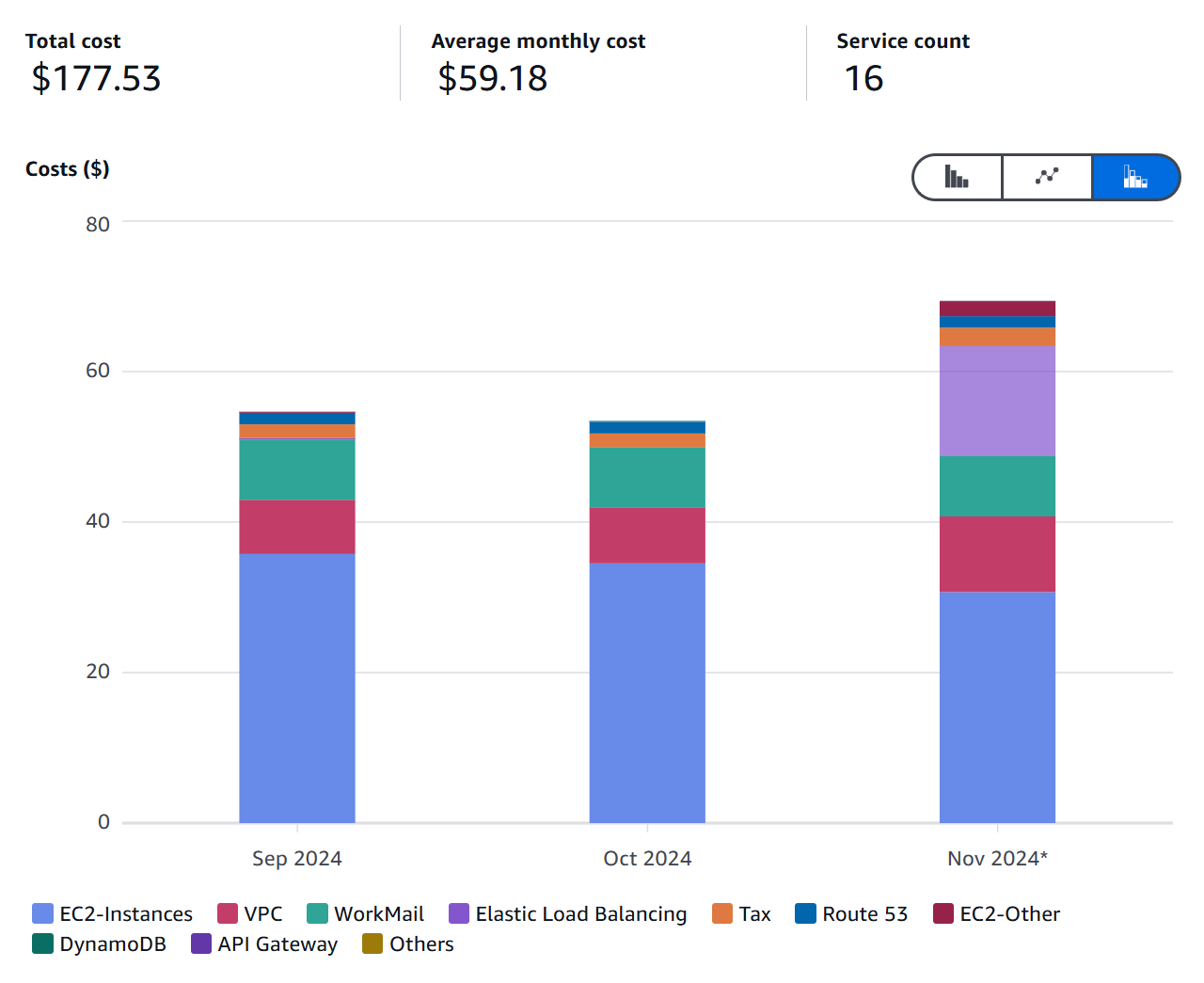
Running WordPress on AWS has been an ongoing cost challenge. WooCommerce required a t2.large instance, which ran over $60 per month. On top of that, load balancers added roughly $7.50 per month. We needed to find ways to bring these costs down significantly.
Solution 1: Migrate the Shop
We migrated our shop to Printify's free pop-up store. This removed the need for WooCommerce entirely, which meant we could downgrade from a t2.large to a t2.micro instance at around $10 per month. That alone was a massive savings.
Solution 2: Replace the Load Balancer with CloudFront
Instead of paying for a load balancer just for SSL termination, we replaced it with CloudFront. Here are the configuration steps we followed:
- Create SSL certificates for both the base domain and the www domain.
- Use legacy cache settings with "All" selections.
- Set the viewer protocol policy to redirect HTTP to HTTPS.
- Allow all headers to be forwarded to the origin.
- Add both domain variants (base and www) as alternate CNAMEs.
- Set the origin protocol to HTTP only.
- Use the EC2 Public IPv4 DNS as the origin domain.
WordPress Configuration
After setting up CloudFront, we needed to update the WordPress configuration. Add the following to wp-config.php:
define('WP_HOME', 'https://www.reikaxubia.com');
define('WP_SITEURL', 'https://www.reikaxubia.com');
if (isset($_SERVER['HTTP_X_FORWARDED_PROTO']) && $_SERVER['HTTP_X_FORWARDED_PROTO'] === 'https') {
    $_SERVER['HTTPS'] = 'on';
}
define('FORCE_SSL_ADMIN', true);
Then add this to your .htaccess file:
<IfModule mod_headers.c>
    Header set Content-Security-Policy "upgrade-insecure-requests"
</IfModule>
After making these changes, restart Apache:
sudo systemctl restart httpdKnown Issue
Dynamic pages such as wp-login and wp-admin have functionality issues when accessed through CloudFront. The workaround is to temporarily revert WP_HOME and WP_SITEURL to the EC2 Public IPv4 DNS when you need admin access. It's not ideal, but it works for now while we figure out a better solution.